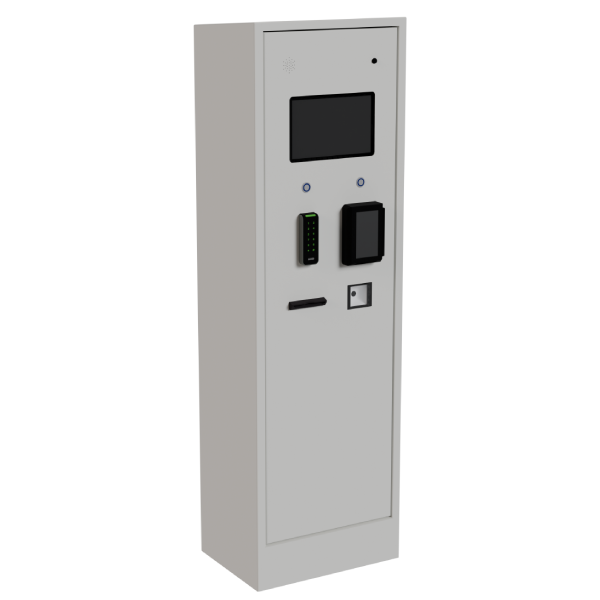
 In the fieldMont-TremblantA multi-service kiosk at the wash station.
Self-service kiosk
On-site registration, payment and wash records.
Give boaters one place to register, pay and collect their wash receipt. The kiosk connects each step to site equipment and the watercraft record.
- Guidance in French and English
On-screen and spoken instructions explain the next step.
- A wash receipt, ready for lake access
A receipt with a QR code to present at the access point.
- The Lexoh call centre, ready to help
A person to assist with registration, payment or access.
On the kiosk screen
Clear from the first touch.
One question at a time. From watercraft selection to wash receipt, a journey that makes sense at a glance.
- Spoken guidance
Instructions read aloud in French or English, step by step.
- A person to help when needed
The Lexoh call centre can help users with registration, payment, or access.
Explore Lexoh support
A familiar place, a language, and one way to begin.


Role in the system
What the kiosk does — and what it does not
The kiosk is the public interface. It can create or find a record, display required notices, associate a watercraft, process configured options and send commands to authorized equipment.
It does not replace clear policy, support procedures or physical inspection. Content and available decisions are defined with the operator.
- FunctionOn-site path
- A user can begin or resume the process at the location.
- Site requirementsConfigured functions
- Registration, instructions, payment and rights depend on project scope.
- OperationsShared record
- Relevant information can follow the watercraft to washing and access.
Public interface
Information is organized around the next action.
On-screen and spoken instructions explain each step in French or English. The journey avoids asking for information already available in the record; error messages explain what is missing and where to get help.
Languages, notices, user classes and payment options are established before commissioning and then managed according to assigned permissions.
Installation
Location, visibility and utilities matter as much as the screen.
The kiosk needs to be accessible from the intended route without putting the user in a traffic conflict. Power, network, anchoring, clearance, lighting and weather exposure are checked in the deployment plan.
- Access and waiting area
- Power and communications
- Signage visibility
- Controlled service access
Customer support
A person to help when the user needs it.
The Lexoh call centre can help users with registration, payment, or access. Contact methods and service hours are defined with the selected service.
Authorized staff can review relevant events to understand the difficulty and guide the next action.
FAQ
Equipment questions
01Can the kiosk accept payments?
Payment can be part of the journey depending on scope, selected services and the organization’s rules. Details are confirmed before deployment.
02Can text be changed after installation?
Yes, depending on permissions and content type. A change that alters policy or an integration may require additional validation.
03Do users need to register again each season?
Existing records can be reused within the configured network.