Management platform

Every site, device, and alert on one screen.

The platform assembles information sent by Lexoh components and planned integrations. It can be used by the customer’s team or by the Lexoh call centre under a delegated operations agreement.

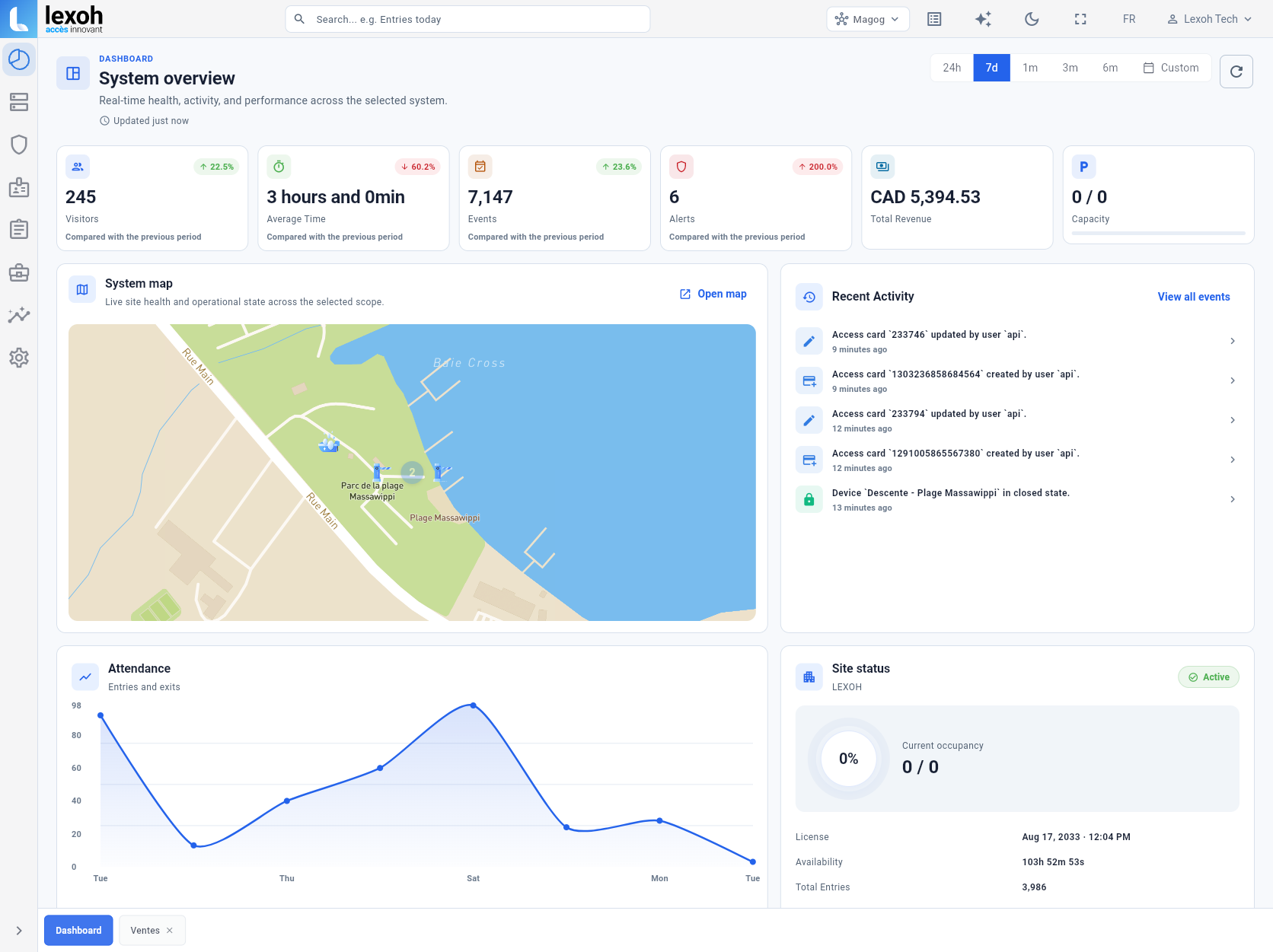
Lexoh management dashboard for multiple lake access points

Operating tool

What the dashboard represents

The platform shows data that field equipment and integrations can provide. A device shown online confirms recent communication; it does not replace a physical inspection of the device or its surroundings.

Screens are organized around operating tasks: monitor sites, find an event, manage authorized rights, review an alert and produce available information for follow-up.

Operating view

VisibilityGrouped sites
Move between access points without mixing responsibilities.
OperationsSearchable events
Find available wash, access and alert records.
ResponsibilitiesConfigured roles
Limit functions and data for the customer team or authorized call centre.
DataAvailable status
See signals reported by connected equipment.
Lexoh management dashboard for multiple lake access points
Visibility

Daily operations

Move from the network to a specific site.

Users begin with the sites assigned to them, review status and recent events, then open the relevant record. Filters and permissions avoid exposing information unrelated to their work. When operations are delegated to Lexoh, the call centre uses the same tools to provide support, handle authorized exceptions and follow assigned alerts.

  • Site and access overview
  • Device-reported state
  • Wash and access history
  • Assigned alerts and cases
Operations

Administration

Sensitive changes stay with the appropriate roles.

Depending on configuration, administrators can manage users, schedules, classes or approved settings. Changes affecting field equipment, major policy or an integration follow technical review instead of an improvised setting change.

Responsibilities

Network and support

Remote diagnosis and operations have known limits.

When communications are available, staff can review status and logs, assist a user and attempt an authorized action before sending a technician. Network loss, power failure, a stopped vehicle or a mechanical problem may still require an on-site response.

Support responsibilities, contacts, maintenance, service windows and emergency-service escalation are stated in the contract. The platform does not replace physical response.

Data

Data

Governance comes before access.

The organization defines roles, retention periods and permitted use under its obligations. Configuration is intended to limit access to operational need and retain an appropriate trail of actions in relevant functions.

FAQ

Platform questions

01Can the platform be used on a phone?

The interface can be viewed at different screen sizes depending on the function. Detailed administration is often more practical on a larger screen.

02Can it support several municipalities?

A multi-lake or multi-partner architecture is possible with separation of sites and roles. Governance and responsibilities need to be defined before configuration.

03Does an online status guarantee that equipment works?

It represents available signals. Normal communications cannot exclude a physical issue that is not measured, so inspections remain necessary.

04Does the municipality need its own team to operate the platform?

No. The customer can operate it internally or delegate agreed daily operations to the Lexoh call centre. Granted authority and on-site responsibilities are defined in the service agreement.

Next step

See the platform through an actual scenario.

Choose a site, a user journey and one exception to review during the demonstration.

Assess my site